
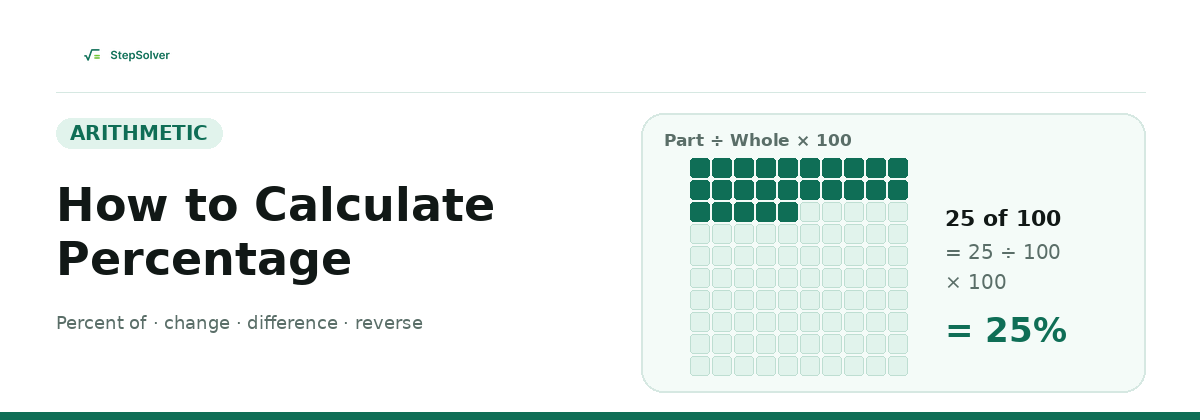
A percentage is a fraction out of 100. Every percentage problem comes down to one formula, Percentage = (Part ÷ Whole) × 100, rearranged to find whichever number is missing. Once you know which kind of percentage question you are answering, the calculation takes one line. This guide gives the formula for each type, a worked example, a conversion table, and the mistakes that trip most people up.
The Basic Percentage Formula
"Percent" means "per hundred." Every percentage calculation is a relationship between a part, a whole and a rate:
Rearrange it and you get the other two forms you will use most:
The trick is spotting which number is the part, which is the whole, and which one you are missing. The sections below walk through each case.
1. How to Find a Percent of a Number
Use this when you know the rate and the whole and want the part. Think "15% of 80" or "a 20% tip on a bill."
Example: What is 15% of 80?
- Convert 15% to a decimal: 15 ÷ 100 = 0.15
- Multiply by the number: 0.15 × 80 = 12
To add a percentage to a number (for tax or a markup), multiply by 1 plus the decimal: 250 plus 12% is 250 × 1.12 = 280. To subtract a percentage (a discount), multiply by 1 minus the decimal: 250 less 12% is 250 × 0.88 = 220.
2. What Percent Is One Number of Another?
Use this when you know the part and the whole and want the rate. Test scores are the classic case: you got 18 out of 72, so what percentage is that?
Example: What percent of 72 is 18?
- Divide the part by the whole: 18 ÷ 72 = 0.25
- Multiply by 100: 0.25 × 100 = 25
A quick check: the whole is usually the number after the word "of." In "what percent of 72 is 18," the whole is 72.
3. Percentage Increase and Decrease
Use this when a value changes from an old number to a new one, such as a price, a salary, website traffic or a population. The original value is always the base.
A positive result is an increase. A negative result is a decrease.
Example: A price rises from 50 to 65
- Find the change: 65 − 50 = 15
- Divide by the old value: 15 ÷ 50 = 0.30
- Multiply by 100: 0.30 × 100 = 30
Example: Sales drop from 120 to 90
- Find the change: 90 − 120 = −30
- Divide by the old value: −30 ÷ 120 = −0.25
- Multiply by 100: −0.25 × 100 = −25
4. Percentage Difference
Use percentage difference when you compare two values and neither one is the starting point, for example the price of the same item in two shops, or two lab measurements. Instead of dividing by the old value, you divide by the average of the two.
Example: Compare 40 and 60
- Find the absolute difference: |40 − 60| = 20
- Find the average: (40 + 60) ÷ 2 = 50
- Divide and multiply by 100: 20 ÷ 50 × 100 = 40
Percentage change from 40 to 60 would be 50%, while from 60 to 40 it would be −33.3%. Percentage difference gives the same 40% in both directions, which is why it is the fair choice when there is no "before" and "after."
Percent error
Percent error is a close relative used in science classes. It compares a measured value with the accepted (true) value, and the true value is the base:
If you measure 9.6 cm and the true length is 10 cm, the error is |9.6 − 10| ÷ 10 × 100 = 4%.
5. Reverse Percentage: Finding the Original Value
Use this when you know the value after a percentage change and want the value before it. This is where most people go wrong, because you cannot simply add the percentage back on.
Example: A jacket costs 64 after a 20% discount
- The sale price is 100% − 20% = 80% of the original, so the multiplier is 0.80
- Divide: 64 ÷ 0.80 = 80
Example: A bill is 92 including 15% tax
- The total is 100% + 15% = 115% of the pre-tax amount, so the multiplier is 1.15
- Divide: 92 ÷ 1.15 = 80
Fraction, Decimal and Percent Conversion Table
To turn a decimal into a percentage, multiply by 100. To turn a fraction into a percentage, divide the top by the bottom, then multiply by 100. These are the ones worth memorizing:
| Fraction | Decimal | Percent |
|---|---|---|
| 1/2 | 0.5 | 50% |
| 1/3 | 0.333… | 33.33% |
| 2/3 | 0.666… | 66.67% |
| 1/4 | 0.25 | 25% |
| 3/4 | 0.75 | 75% |
| 1/5 | 0.2 | 20% |
| 1/8 | 0.125 | 12.5% |
| 1/10 | 0.1 | 10% |
| 1/20 | 0.05 | 5% |
| 1/100 | 0.01 | 1% |
Need to simplify a fraction first? The Fraction Calculator reduces it and shows the decimal, and our guide on how to add, subtract, multiply and divide fractions covers the rules.
Mental Math Shortcuts
You can work out most everyday percentages without a calculator by building from 10%:
- 10%: move the decimal point one place left. 10% of 46 is 4.6.
- 5%: half of 10%. 5% of 46 is 2.3.
- 1%: move the decimal point two places left. 1% of 46 is 0.46.
- 15%: 10% plus 5%. 4.6 + 2.3 = 6.9.
- 25%: divide by 4. 25% of 46 is 11.5.
One more useful fact: x% of y equals y% of x. So 8% of 50 is the same as 50% of 8, which is 4.
Percentages in Excel or Google Sheets
For a percent of a number, use =A2*B2 with B2 formatted as a percentage. For percentage change, use =(B2-A2)/A2 and apply the Percent format. If you are averaging a column of percentages, our guide to calculating averages in Excel explains when you need a weighted average instead.
Common Mistakes to Avoid
- Reversing a change with the same percentage. A 20% rise followed by a 20% fall does not get you back to the start. 100 rises to 120, then 20% of 120 is 24, so it falls to 96.
- Mixing up percent and percentage points. An interest rate moving from 4% to 5% rose by 1 percentage point, but by 25 percent, because 1 ÷ 4 = 0.25.
- Using the wrong base. Percentage change always divides by the original value. From 50 to 65 is a 30% increase, but dividing by the new value (15 ÷ 65) would wrongly give about 23%.
- Adding successive percentages. Two 10% increases are not a 20% increase. 100 × 1.10 × 1.10 = 121, which is 21%. Multiply the factors instead of adding the rates.
Frequently Asked Questions
- What is the basic formula for percentage?
- Percentage = (Part ÷ Whole) × 100. For example, 18 out of 72 is (18 ÷ 72) × 100 = 25%.
- How do I calculate a percentage of a number?
- Convert the percentage to a decimal by dividing by 100, then multiply by the number. 15% of 80 is 0.15 × 80 = 12.
- How do I calculate percentage increase?
- Subtract the old value from the new value, divide by the old value, and multiply by 100. From 50 to 65 is (65 − 50) ÷ 50 × 100 = 30%.
- What is the difference between percentage change and percentage difference?
- Percentage change compares a new value to an original value, so direction matters. Percentage difference compares two values with no starting point, using their average as the base, so the result is always positive.
- Why doesn't a 20% increase followed by a 20% decrease get back to the start?
- Because the second percentage is taken from a bigger number. 100 rises 20% to 120, then 20% of 120 is 24, so it falls to 96, not 100.
- How do I find the original price before a discount?
- Divide the sale price by (1 − discount as a decimal). A price of 64 after a 20% discount was originally 64 ÷ 0.80 = 80.